
-
-
Products
- New Products
- AV over IP Solutions
- Unified Communication & Collaboration Solutions
- Digital Video Processing Solutions
- Control Systems & Software
- Matrix Switchers
- HDMI Switchers
- HDMI Distribution Amplifiers
- Wireless AV Solutions
- HDMI over CAT6 Extenders
- HDMI Fixers & Boosters
- HDMI Cables
- Active Optical HDMI Fiber Cables
- Audio Solutions
- Accessories
-
Key Digital AV Over IP Systems
- AV Over IP Systems Overview
- AV Over IP Products
- DIY AV Over IP Systems
- Control Apps and Software
-
-
Markets & Solutions
+
- KD University
-
-
Press Resources
- Press Releases
- Key Digital in the News
- Hires Artwork
-
Sales Resources
- Market Case Studies
- Video Resources
- Sales & Tech Presentations
-
-
About Us
+
-
Technology & Standards
- Proprietary Technologies
- Compliance & Licensing
- Awards
-
Community
- Partners
- Sponsorships
- Internships
-
- Contact
Wireless AV Solutions
Planning a system with these products?
Wireless Presentation and Conferencing Gateways
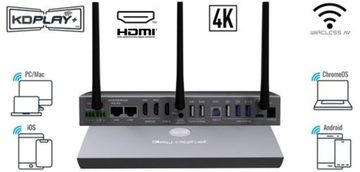
KD-BYOD4KHUB
BYOD & BYOM Wireless Presentation & Conferencing Gateway
View details →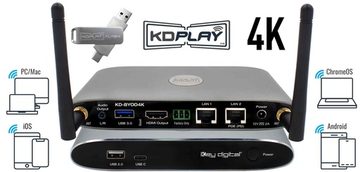
KD-BYOD4K
Wireless Presentation Gateway
View details →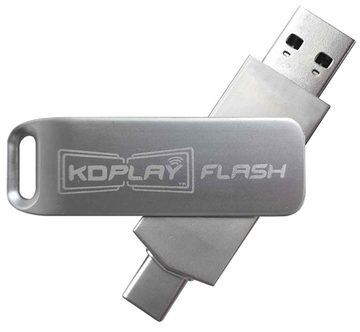
KD-BYODFD
USB Auto-Launcher for KD-BYOD4K, KD-BYOD4KHub
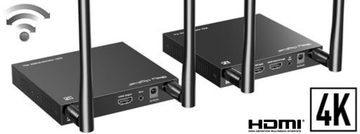
View details →4K WiFi HDMI Extenders
Not sure which model?
Get free design help
Tell us about the rooms and sources and we will spec it for you.
Choosing a Wireless AV Solution
Wireless AV removes cable runs in two very different situations: sharing content in a meeting room from a personal device, and sending 4K HDMI to a display where you cannot pull a cable. Key Digital covers both with wireless presentation gateways and a wireless HDMI extender.
For meeting rooms, the KD-BYOD4KHUB and KD-BYOD4K wireless presentation and conferencing gateways let people share from their own laptop or phone, and the Hub adds BYOM so guests can run a video call using the room camera and audio. The KD-BYODFD USB auto-launcher makes joining one tap simple.
For point-to-point video, the KD-4KWHCEX wireless HDMI extender kit sends 4K 60Hz up to 170 feet with IR pass-back, which suits a display across a room or a space where cabling is impractical. An authorized Key Digital dealer can match the wireless solution to your room and distance.
Frequently asked questions
When should I use wireless AV instead of cables?
Use a wireless presentation gateway when you want guests to share from their own device without cables, and a wireless HDMI extender when you need to reach a display where pulling a cable is impractical.
What is the difference between the KD-BYOD4K and the KD-BYOD4KHUB?
Both are wireless presentation gateways. The KD-BYOD4KHUB adds BYOM, routing the room camera and microphone to the presenter's device for video calls, while the KD-BYOD4K focuses on wireless content sharing.
How far can the wireless HDMI extender reach?
The KD-4KWHCEX wireless HDMI extender kit sends 4K 60Hz up to about 170 feet, with IR pass-back for source control.
Do guests need to install software to present wirelessly?
Key Digital wireless gateways support simple sharing, and the KD-BYODFD USB auto-launcher makes starting a session one tap without a manual install, which keeps guest presenting fast.