
-
-
Products
- New Products
- AV over IP Solutions
- Unified Communication & Collaboration Solutions
- Digital Video Processing Solutions
- Control Systems & Software
- Matrix Switchers
- HDMI Switchers
- HDMI Distribution Amplifiers
- Wireless AV Solutions
- HDMI over CAT6 Extenders
- HDMI Fixers & Boosters
- HDMI Cables
- Active Optical HDMI Fiber Cables
- Audio Solutions
- Accessories
-
Key Digital AV Over IP Systems
- AV Over IP Systems Overview
- AV Over IP Products
- DIY AV Over IP Systems
- Control Apps and Software
-
-
Markets & Solutions
+
- KD University
-
-
Press Resources
- Press Releases
- Key Digital in the News
- Hires Artwork
-
Sales Resources
- Market Case Studies
- Video Resources
- Sales & Tech Presentations
-
-
About Us
+
-
Technology & Standards
- Proprietary Technologies
- Compliance & Licensing
- Awards
-
Community
- Partners
- Sponsorships
- Internships
-
- Contact
Control Systems & Software
Discover our flexible, expandable hardware and software systems for advanced control solutions. Unleash the power of integrated AV systems now!
Planning a system with these products?
Master Controllers & Control Interfaces
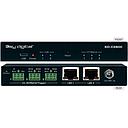
KD-CX800
Master Controller and Control Interface.
View details →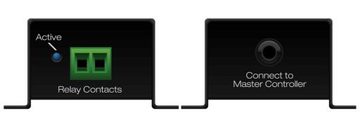
KD-CCXR200
Multi-Function Port to Contact Closure Converter
View details →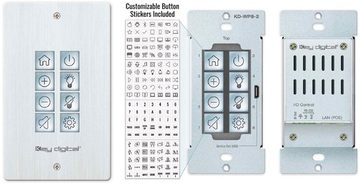
KD-WP8-3
8 Button Programmable IP, RS-232, IR Control Keypad
View details →iOS Control Apps
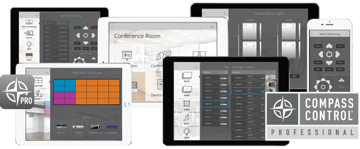
Compass Control® Pro iOS App
iOS App User Touchscreen for Custom Compass Control Pro AV System Integration Projects
View details →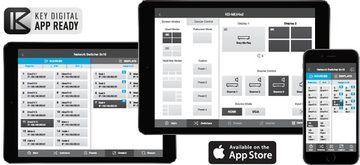
KD-App
iOS app for free control of Key Digital app-ready devices and systems via network
View details →PC Product Management Software
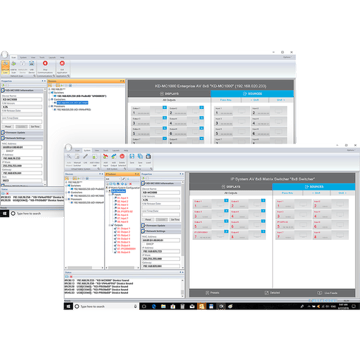
Compass Control® Pro - Fully integrated iOS-based Control System - <a href="/compass/index" target="_blank">Learn More</a>
Compass Control® Pro iOS App
iOS App User Touchscreen for Custom Compass Control Pro AV System Integration Projects
View details →
KD-ProCL1
Compass Control® Pro Activation License for 1 iOS device
View details →
KD-ProCL4
Compass Control® Pro Activation License for 4 iOS devices
View details →
KD-ProCL6
Compass Control® Pro Activation License for 6 iOS devices
View details →
KD-ProCL8
Compass Control® Pro Activation License for 8 iOS devices
View details →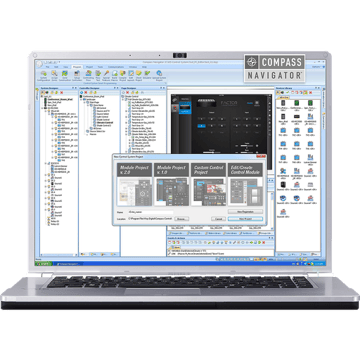
Compass Navigator™ PC Editor
Windows PC software suite for programming Compass Control Pro systems
View details →
Not sure which model?
Get free design help
Tell us about the rooms and sources and we will spec it for you.
Choosing a Control System
A control system ties your AV together, so one interface operates displays, switchers, sources, and room functions. Key Digital Compass Control Pro is a fully integrated iOS-based control platform: a master controller communicates with equipment over IP, RS-232, and IR, and users drive it from an iPad or iPhone.
Build a system around the KD-CX800 master controller and control interface, add the KD-WP8-3 programmable button keypad for wall control, and use the KD-CCXR200 to convert a control port to a contact closure when a device needs a dry-contact trigger. Compass Control Pro activation licenses (KD-ProCL1, KD-ProCL4, KD-ProCL6, KD-ProCL8) enable one, four, six, or eight iOS devices per system.
Program and manage everything with free Key Digital software: the Compass Navigator PC Editor for building Compass Control Pro projects, KDMS Pro for product setup, and the KD-App for simple iOS control of app-ready devices. An authorized Key Digital dealer or programmer can design and commission the control system for your room.
Frequently asked questions
What is Compass Control Pro?
Compass Control Pro is Key Digital's fully integrated iOS-based control system. A master controller such as the KD-CX800 communicates with AV equipment over IP, RS-232, and IR, and users operate the system from an iPad or iPhone.
How many iOS devices can control one system?
It depends on the activation license. Compass Control Pro licenses are available for 1, 4, 6, or 8 iOS devices (KD-ProCL1, KD-ProCL4, KD-ProCL6, KD-ProCL8).
What is the difference between the KD-App and Compass Control Pro?
The free KD-App provides simple iOS control of individual app-ready Key Digital devices. Compass Control Pro is a full, programmable control system for integrating multiple devices and room functions under one interface.
What software do I need to program a Key Digital control system?
Use the Compass Navigator PC Editor to build Compass Control Pro projects and KDMS Pro for product setup and control. Both are free Windows applications from Key Digital.
Can I add a physical button keypad?
Yes. The KD-WP8-3 is an 8-button programmable keypad with IP, RS-232, and IR control, for wall-mounted control alongside the iOS interface.