
Quick answer: Key Digital HDBaseT presentation switchers carry the sim PC picture to the projector and a mirrored display over one CAT cable: the KD-PS42 for runs up to 40 m at 4K, and the KD-UPS52U for runs up to 100 m or USB at the bay. The receiver and the optional bay wall plates are powered over the cable. Apply for a Key Digital dealer account to buy them.
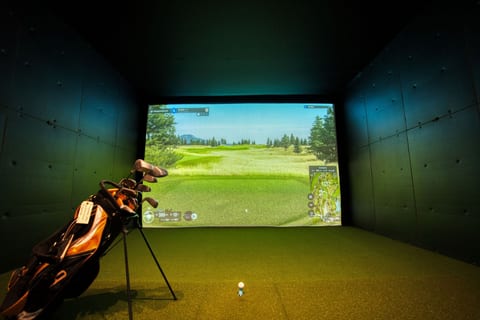
A client hires you to build a bay, not to run cable. The simulator, the screen and the launch monitor are the part they can see and compare against a showroom. The signal distribution behind the wall is the part that decides whether you get a callback in six months. This guide is written for the installer, not the golfer: it covers the two Key Digital signal paths that cover almost every bay, how each one goes into a wall the same way the rest of your low-voltage work does, a pre-wire checklist you can hand to a crew, and how to open a dealer account so you can actually buy the gear.
What your clients' bays need beyond the simulator
Underneath the launch monitor and the screen, every bay you build needs the same handful of things sorted out before it can be called finished:
- A protected location for the sim PC, away from ball strikes, heat and curious guests
- A reliable long run from that location to the projector, whatever the room shape adds to the distance
- A second screen for spectators in a lounge or at a bar, showing the same picture as the projector
- A guest input in the bay itself, for a laptop or another source, without running a new cable back to the closet
- One-action start and shutdown, so staff or a homeowner never has to know what is behind the wall
- A clean install with nothing exposed in the hitting area, since a stray cable in a bay is both a trip hazard and a target for a mishit ball
The rest of this guide is the signal distribution layer that answers all six points at once, built around two Key Digital HDBaseT presentation switchers.
Two system paths
Almost every bay you wire fits one of two paths, and the choice usually comes down to run length and whether USB has to reach the bay.
| Path | Reach at 4K | Reach at 1080p | Inputs | USB | Bay plate option | Receiver |
|---|---|---|---|---|---|---|
| KD-PS42 | 40 m | 70 m | Three HDMI, one HDBaseT | No | KD-X2x1WDTx (HDMI, DisplayPort; sold separately) | KD-X40MRx included |
| KD-UPS52U | 100 m | 150 m (long range mode) | Two HDMI, DisplayPort, USB-C, one HDBaseT | USB routing with four modes | KD-X4x1WUTx (two HDMI, DisplayPort, USB-C, extends USB 2.0; sold separately) | KD-X100MRx included |
Both switchers mirror their HDMI and HDBaseT outputs, so the projector and a lounge or bar TV show the same selected source at the same time, with no splitter to add to the signal path. Pick the KD-PS42 when the equipment location is within 40 m of the projector and the bay does not need USB. Pick the KD-UPS52U when the run is longer, when the equipment room sits further from the bay in a commercial building, or when a USB touchscreen, keyboard or mouse has to operate at the bay input plate.
It installs like the rest of your low-voltage work
Neither path asks a crew to learn a new trade. Each HDBaseT link runs on a single CAT5e or CAT6 cable, terminated to 568-B on both ends, the same as any structured cabling run in the building. Key Digital's own installation guidance calls for one continuous cable per link and advises against couplers or excess coiled cable at either end, both common sources of trouble on a long run.
The receiver at the projector and either bay wall plate are powered over that same cable by the switcher, so there is no separate power supply to fish up to a ceiling mount or into a wall box. The KD-X2x1WDTx fits a standard US dual-gang box, and the KD-X4x1WUTx fits a 3-gang box, so both plates go into openings a low-voltage crew already knows how to frame and trim. Both switchers are half-rack width with mounting ears.
Control runs by push button, IP, RS-232, IR, the Key Digital app or Compass Control Pro, so a bay can be commissioned with whichever control method the rest of the job already uses, from a single push button by the door to a full control processor for a multi-bay venue. Key Digital product pages carry specifications, manuals and application diagrams, which are worth pulling up before you quote a job so the exact input count and cable distance are confirmed against the room you are wiring.
Pre-wire checklist for new builds
On a new build, the wiring for a bay is easiest to get right while the walls are still open. Work through this list before drywall goes up:
- Confirm the equipment location and its power circuit
- Pull CAT cable from the equipment location to the projector mount
- Pull CAT cable from the equipment location to each TV
- Pull CAT cable to the bay input plate box, sized dual-gang or 3-gang for the plate you plan to install
- Confirm power at the projector location for the projector itself, since the receiver is powered over the cable and needs no separate supply
- Add conduit anywhere the wall will close around the cable, in case a run needs to be replaced later
- Label both ends of every cable as you land it
- Record the length of every run for your own file and for the client
- Test each run with a cable tester before the drywall goes on
For the full step-by-step version of this checklist, including how to connect the switcher, the receiver and the audio, see how to wire a simulator bay. If you are not sure a planned run fits the KD-PS42 or the KD-UPS52U at the resolution the bay will use, check it against the HDMI cable run calculator before you order cable or hardware.
How dealer access works
Key Digital sells through authorized dealers, resellers and integrators rather than directly to end clients. If you install golf simulator bays and do not already carry Key Digital, you apply for a dealer account through the Key Digital dealer signup page, the same account that gives you access to the full product line for every other AV job you run. Once you hold an account, ordering a KD-PS42 or KD-UPS52U system for a bay works the same way as ordering any other Key Digital product for a job.
If a client or a golfer finds this page directly and wants a system for their own build, they can find an authorized dealer near them through the Where to Buy page rather than trying to buy directly from Key Digital.
Two signal paths for a simulator bay
Choose the KD-PS42 path for runs up to 40 m at 4K. Choose the KD-UPS52U path for runs up to 100 m or when USB has to reach the bay.
| Part | Role in the system | Note |
|---|---|---|
| KD-PS42 | 4-input switcher for bays up to 40 m at 4K | Includes KD-X40MRx receiver |
| KD-X2x1WDTx | HDMI and DisplayPort guest plate in the bay | Sold separately; powered over the cable |
| KD-UPS52U | 5-input switcher for runs up to 100 m at 4K, with USB routing | Includes KD-X100MRx receiver |
| KD-X4x1WUTx | Bay wall plate that also extends USB 2.0, IR and RS-232 | Sold separately; powered over the cable |
| KD-AOCH328P | Fiber HDMI cable for a single source, no switching | 4K up to 100 m |
Frequently asked questions
Does Key Digital sell to golf simulator installers?
Key Digital sells through authorized dealers, resellers and integrators. Installers can apply for a dealer account through the Key Digital dealer signup page.
Which Key Digital switcher fits a typical simulator bay?
The KD-PS42 covers runs up to 40 meters at 4K with three HDMI inputs and an HDBaseT input. The KD-UPS52U covers runs up to 100 meters at 4K and adds DisplayPort, USB-C video and USB routing.
Do the bay wall plates need a power outlet?
No. The KD-X2x1WDTx and KD-X4x1WUTx wall plates are powered over the CAT cable by the switcher. They fit standard US dual-gang and 3-gang boxes and are sold separately.
Can one switcher feed the projector and a lounge TV?
Yes. The HDMI and HDBaseT outputs of the KD-PS42 and KD-UPS52U are mirrored, so the projector and a TV show the same selected source at the same time.
Where can my client see specifications?
Each Key Digital product page lists specifications, manuals and application diagrams. For pricing and availability, clients can contact an authorized dealer through the Where to Buy page.
Related guides
Questions about golf simulator installs?
Send it to a Key Digital engineer. We reply within one business day.
Message sent
Thanks. A Key Digital engineer will reply to your email within one business day.